
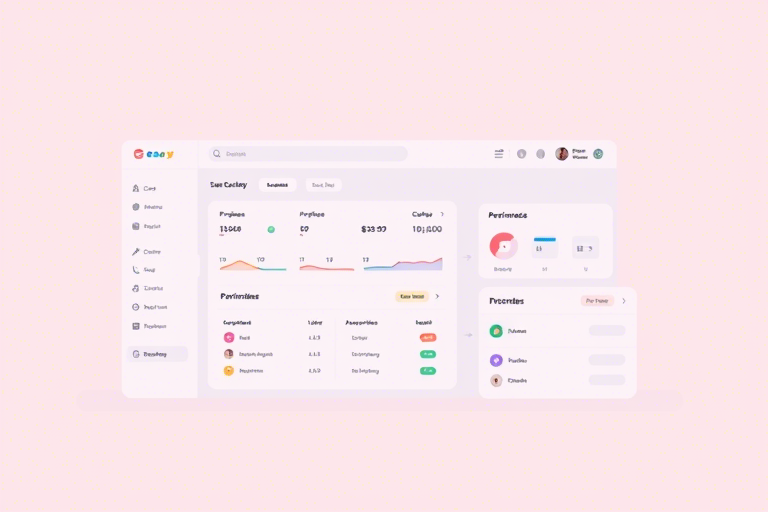
库存管理系统项目实战Python:如何用Python构建高效、可扩展的库存管理解决方案?
引言:为什么选择Python开发库存管理系统?
在当今数字化转型加速的时代,企业对库存管理的效率和准确性提出了更高要求。传统的Excel或手工记录方式已难以满足动态变化的业务需求。Python凭借其简洁的语法、丰富的第三方库(如pandas、sqlite3、Flask等)以及强大的数据处理能力,成为开发库存管理系统的理想选择。
本文将从零开始,带你完成一个完整的库存管理系统项目实战,涵盖需求分析、数据库设计、核心功能实现、用户界面搭建及部署优化,帮助你掌握Python在真实商业场景中的落地应用。
一、项目需求分析与功能规划
首先明确系统要解决的核心问题:
- 实时查看库存状态(商品名称、数量、单价、位置)
- 支持入库、出库、调拨等操作记录
- 提供库存预警机制(低于安全库存时提醒)
- 支持按商品分类、时间范围查询统计
- 具备基础权限控制(管理员/普通员工)
基于以上需求,我们设计如下功能模块:
- 用户登录认证模块
- 商品信息管理(CRUD)
- 库存变动记录(入库、出库、调拨)
- 库存报表生成(含图表)
- 预警通知机制(邮件或日志)
二、数据库设计:SQLite + Python ORM
为了简化开发流程,我们选用轻量级关系型数据库SQLite,并通过SQLAlchemy实现对象关系映射(ORM),让Python代码直接操作数据库表结构。
核心数据表设计:
CREATE TABLE products (
    id INTEGER PRIMARY KEY AUTOINCREMENT,
    name TEXT NOT NULL,
    category TEXT,
    unit_price REAL,
    quantity INTEGER DEFAULT 0,
    min_stock INTEGER DEFAULT 10,
    location TEXT
);

CREATE TABLE inventory_log (
    id INTEGER PRIMARY KEY AUTOINCREMENT,
    product_id INTEGER,
    action_type TEXT CHECK(action_type IN ('IN', 'OUT', 'TRANSFER')),
    quantity INTEGER,
    timestamp DATETIME DEFAULT CURRENT_TIMESTAMP,
    operator TEXT,
    FOREIGN KEY (product_id) REFERENCES products(id)
);
这个设计保证了数据一致性,同时便于后续扩展(例如加入供应商、批次号字段)。
三、核心功能实现:Python代码详解
1. 初始化数据库连接
from sqlalchemy import create_engine, Column, Integer, String, Float, DateTime, ForeignKey
from sqlalchemy.ext.declarative import declarative_base
from sqlalchemy.orm import sessionmaker

Base = declarative_base()

# 定义模型类
class Product(Base):
    __tablename__ = 'products'
    id = Column(Integer, primary_key=True)
    name = Column(String(100), nullable=False)
    category = Column(String(50))
    unit_price = Column(Float)
    quantity = Column(Integer, default=0)
    min_stock = Column(Integer, default=10)
    location = Column(String(50))

    def __repr__(self):
        return f"<Product(name='{self.name}', quantity={self.quantity})>"

class InventoryLog(Base):
    __tablename__ = 'inventory_log'
    id = Column(Integer, primary_key=True)
    product_id = Column(Integer, ForeignKey('products.id'))
    action_type = Column(String(10))
    quantity = Column(Integer)
    timestamp = Column(DateTime)
    operator = Column(String(50))

    def __repr__(self):
        return f"<Log(product_id={self.product_id}, action={self.action_type}, qty={self.quantity})>"

# 创建引擎和会话
engine = create_engine('sqlite:///inventory.db')
Base.metadata.create_all(engine)
Session = sessionmaker(bind=engine)
2. 实现库存增减逻辑
def add_inventory(session, product_id, qty, operator, reason=''):
    product = session.query(Product).filter_by(id=product_id).first()
    if not product:
        raise ValueError("Product not found")

    # 入库:增加库存
    product.quantity += qty
    log = InventoryLog(
        product_id=product_id,
        action_type='IN',
        quantity=qty,
        operator=operator,
        timestamp=datetime.now()
    )
    session.add(log)
    session.commit()
    return True

def remove_inventory(session, product_id, qty, operator, reason=''):
    product = session.query(Product).filter_by(id=product_id).first()
    if not product or product.quantity < qty:
        raise ValueError("Insufficient stock")

    product.quantity -= qty
    log = InventoryLog(
        product_id=product_id,
        action_type='OUT',
        quantity=qty,
        operator=operator,
        timestamp=datetime.now()
    )
    session.add(log)
    session.commit()
    return True
3. 库存预警机制
def check_low_stock(session):
    low_stock_products = session.query(Product).filter(Product.quantity < Product.min_stock).all()
    if low_stock_products:
        print("⚠️ 库存不足预警:")
        for p in low_stock_products:
            print(f"- {p.name}: 当前库存 {p.quantity},安全库存 {p.min_stock}")
        # 可扩展为发送邮件或短信提醒
        send_alert_email(low_stock_products)
4. 查询与报表生成(使用pandas)
import pandas as pd

def generate_report(session, start_date=None, end_date=None):
    query = session.query(InventoryLog).join(Product)
    if start_date:
        query = query.filter(InventoryLog.timestamp >= start_date)
    if end_date:
        query = query.filter(InventoryLog.timestamp <= end_date)

    logs = query.all()
    df = pd.DataFrame([
        {
            'product': log.product.name,
            'action': log.action_type,
            'quantity': log.quantity,
            'timestamp': log.timestamp,
            'operator': log.operator
        }
        for log in logs
    ])

    # 按商品汇总出入库总量
    summary = df.groupby(['product', 'action']).agg(total_qty=('quantity', 'sum')).reset_index()
    return summary
四、前端交互:命令行版 vs Web版(推荐Flask)
对于初学者,可以从命令行版本入手;进阶后建议使用Flask框架构建Web界面。
Flask简易后台示例:
from flask import Flask, render_template, request, redirect, url_for
app = Flask(__name__)

@app.route('/')
def index():
    session = Session()
    products = session.query(Product).all()
    session.close()
    return render_template('index.html', products=products)

@app.route('/add', methods=['POST'])
def add_product():
    name = request.form['name']
    # ... 其他字段处理
    session = Session()
    new_product = Product(name=name, ...)
    session.add(new_product)
    session.commit()
    session.close()
    return redirect(url_for('index'))
搭配Bootstrap模板即可快速搭建美观的前端页面。
五、部署与运维建议
- 使用Gunicorn + Nginx部署到Linux服务器(如Ubuntu)
- 定期备份数据库文件(inventory.db)
- 配置日志记录(logging模块)用于追踪错误
- 考虑迁移到PostgreSQL以支持并发读写压力
- 添加单元测试(pytest)提升代码质量
六、常见问题与优化方向
- Q: 如何防止多用户同时修改同一商品库存?
A: 使用数据库事务锁(BEGIN TRANSACTION / COMMIT)确保原子性。 - Q: 性能瓶颈在哪里?
A: 初始阶段可用SQLite;若并发高,应迁移至PostgreSQL并引入Redis缓存热点数据。 - Q: 是否可以集成条码扫描?
A: 可接入Zebra或扫码枪API,配合PySerial或USB HID接口读取输入。
结语:从实战中成长
通过本项目的完整实践,你不仅掌握了Python在库存管理领域的核心技术栈(SQLAlchemy、Flask、pandas、logging等),还理解了企业级软件开发中“需求→设计→编码→测试→部署”的全流程闭环。无论你是学生、开发者还是创业者,这个项目都能为你打下坚实的技术基础,并启发你在更多行业场景中应用Python解决问题的能力。